
STC balance check in Saudi Arabia: dial *166# for SAWA prepaid credit, or use the official mystc app to review the selected number’s balance and usage. STC’s postpaid FAQ also lists SMS 2220 or Balance to 900 for remaining data.
Updated: 16 October 2026. Gulf Job Hire is an independent publisher and is not affiliated with STC. Instructions below distinguish prepaid credit, data allowances, and postpaid bills.
| What you need | Starting method | Important distinction |
|---|---|---|
| SAWA prepaid credit | Dial *166# | Credit is different from a data allowance. |
| Remaining data on supported postpaid plans | SMS 2220 or Balance to 900 | STC lists this in its postpaid FAQ; follow your plan’s instructions. |
| Account balance and usage | Official mystc app | Select the number you want to review. |
| Account assistance | STC support on 900 | Ask about the specific line and service. |
On this page
How to check SAWA prepaid credit with *166#
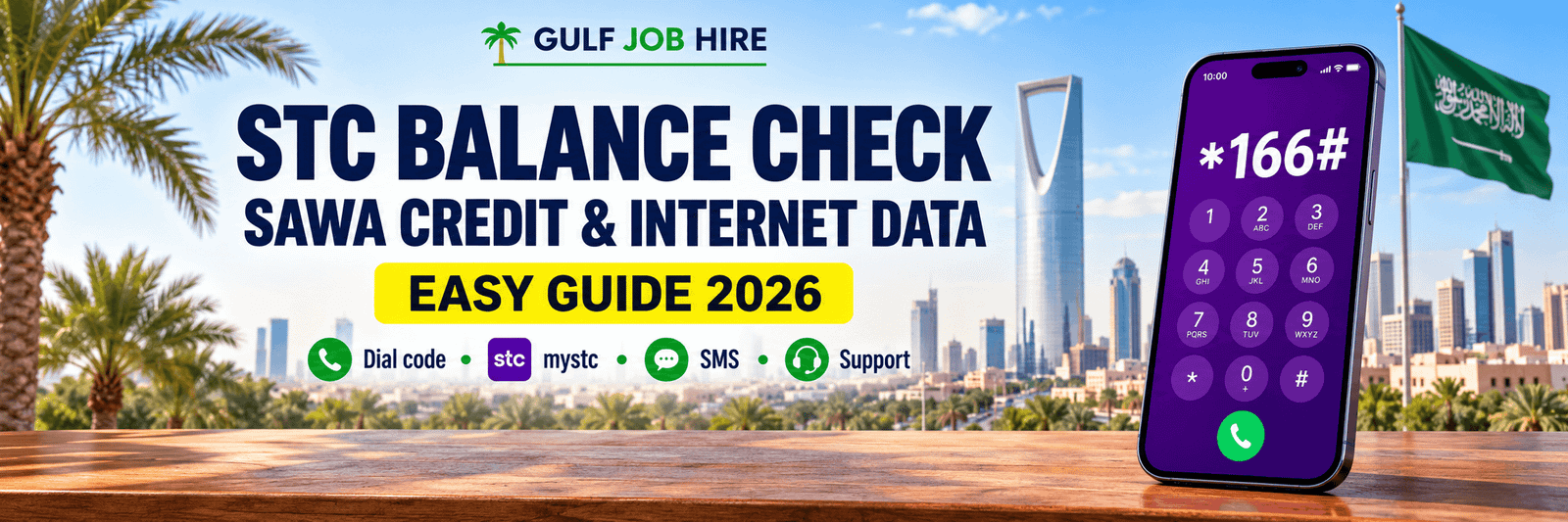
For a quick STC balance check on a SAWA line, open the phone dialer, enter *166#, and press the call button for your STC SIM. Review the response before closing it. STC documents this command in its balance-related service information, including its KMMEL page.
- Open your phone’s normal dial pad.
- Enter *166# exactly, including the star and hash.
- If you have two SIMs, choose the STC line.
- Press call and read the returned balance information.
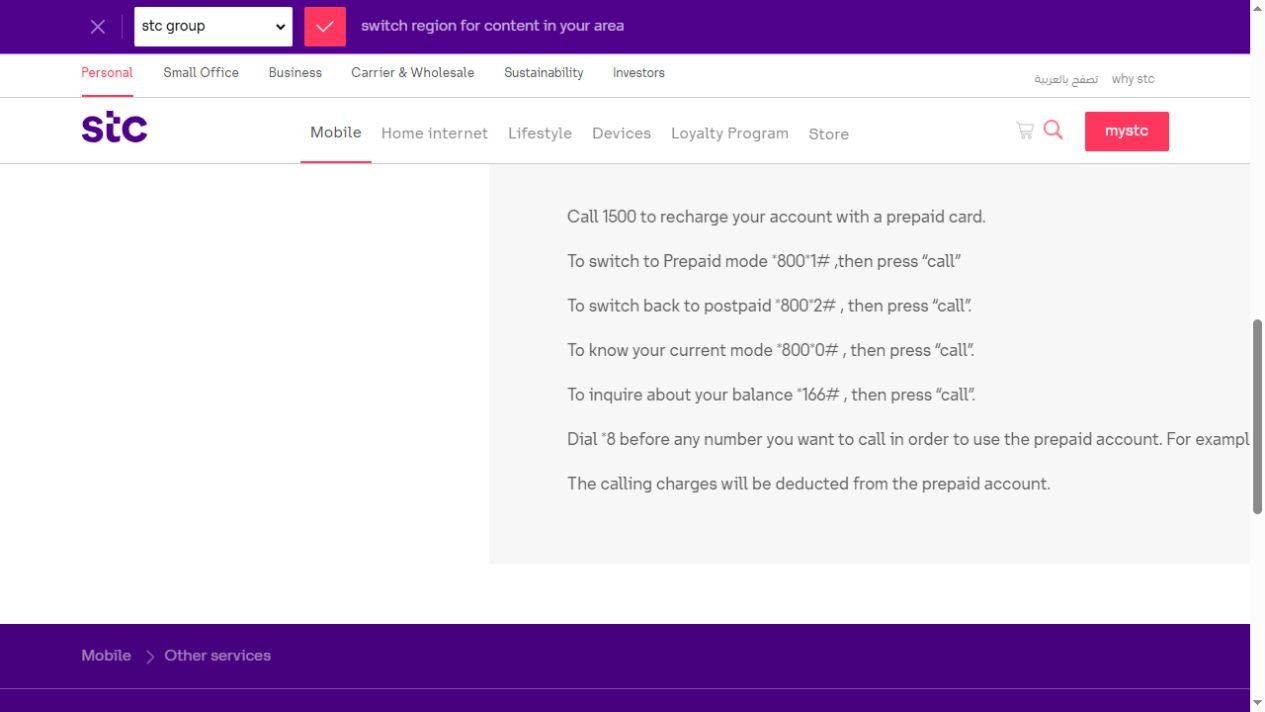
Use the unit shown in the response. A figure in Saudi riyals is not a statement of how many gigabytes remain. If your question is about internet allowance, move to the data or mystc methods below rather than treating cash credit as a data package.
STC balance check for internet data by SMS
For the postpaid plans covered by STC’s official postpaid FAQ, the listed data inquiry is to send 2220 or Balance to 900. The same FAQ points customers to mystc for remaining minutes and data. This is a plan-specific reference, rather than a promise that every STC product uses identical commands.
- Open your SMS application and create a message.
- Set the recipient to 900.
- Type 2220, or use the alternative word Balance.
- Send from the STC line whose allowance you want to check.
- Read the reply and check the allowance type and validity information supplied.
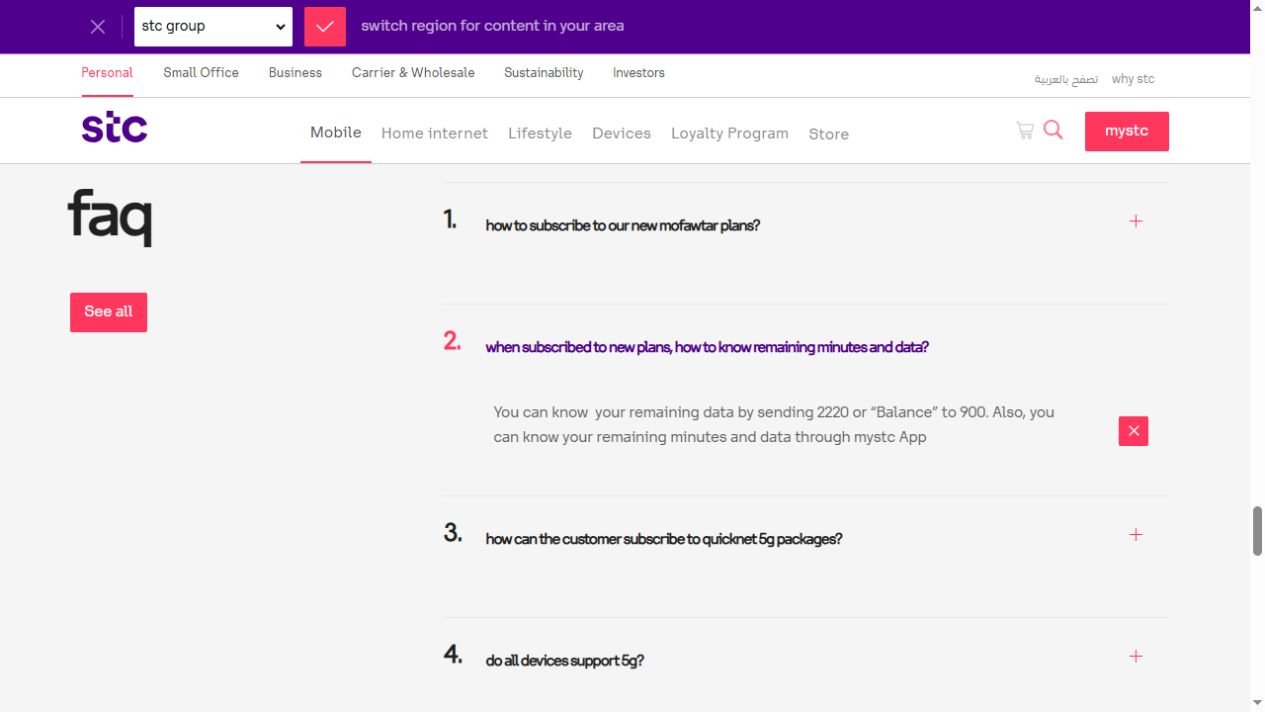
If your line is prepaid, a data-only product, or a different package, use its current instructions in mystc or ask STC to confirm the correct inquiry method. Do not keep sending unrelated activation codes to test them.
Check credit, data and bills in the mystc app
The official mystc app provides a broader account view than a single dial command. STC describes features for account usage, bills, recharge, and managing customer numbers. For this STC balance check guide, the purpose is simply to open the right line and read its current details; no purchase is needed to follow the explanation.
- Download mystc using the links provided by STC or the verified app-store listing.
- Sign in through the official app and complete any requested verification privately.
- Select the mobile number you intend to check.
- Look for the account’s credit, package, allowance, or bill information as appropriate.
- Check the units and relevant dates before deciding whether you need further help.
Use the Android listing or iPhone listing linked from STC’s website. Interface labels may change between versions.
Use the official mystc website
If you prefer a browser, begin at the official mystc sign-in page. Check the domain before entering account information. The page offers account sign-in; the services visible after authentication depend on the account and line you manage.
For an STC balance check online, review the number selected in the account before reading any balance or bill. If you manage more than one number, a correct figure for the wrong line can be misleading. Sign out after using a shared computer and do not save verification codes in a public note or chat.
Call STC support when the result is unclear
STC lists 900 as a customer-support channel. If a code fails or the result does not match your question, describe what you are trying to check: prepaid credit, data, remaining minutes, or an outstanding bill. Use the official STC contact page for current contact options.
A useful request is: “Please help me check the remaining credit and data on this line, and explain any difference between them.” Do not assume a particular language or overseas calling route is always available. Follow the current menu or ask which support options apply to your location.
Credit balance, data balance and bills are different
An STC balance check is more useful when you know which balance you need. Prepaid credit is money available on the account. A data allowance is an amount of internet usage associated with a package. A postpaid bill concerns charges for a billing period. These are related account details, but they are not interchangeable numbers.
For example, seeing cash credit does not by itself tell you that a particular internet package is active. Similarly, remaining data does not mean every possible charge is covered. Read the package information and the specific balance label, then ask STC about anything that is not explained by the account view.
How to read the balance result correctly
Look first at the line number, then the balance label, unit, and date. This simple order prevents several common mistakes. If the result includes more than one allowance, read each separately instead of combining them into a total that the provider has not stated.
When you save a private note after an STC balance check, include when you checked it. A result from yesterday may not describe the allowance left after today’s use. Do not post a full account screenshot publicly: a cropped explanation of a label is safer than exposing your mobile number or account details.
Dual-SIM phones: select the STC line
On a phone with two SIMs or an eSIM plus a physical SIM, the default calling or messaging line may be different from the line you want to inspect. Before requesting a balance, look at the SIM selector in the dialer or message application. Choose the STC number deliberately.
If the response is missing, check the sent-message details or the selected calling SIM before trying again. An STC balance check sent from another operator’s line cannot be assumed to return the details of your STC account. If you cannot identify the right line, check your phone’s SIM settings without changing your plan.
Troubleshoot a dial code that does not work
Begin with the exact characters. Type the code into the normal telephone dialer, not into a search engine or message box. Confirm that the STC SIM is active in your phone and that the request uses that line. Then read any error message rather than immediately trying a different code found on an unrelated website.
If an STC balance check still fails, try the official app or contact support. A failed dial request alone does not explain whether the issue is the network, the handset, or the product’s supported methods. Avoid changing account settings or subscribing to services simply to make a balance inquiry work.
Troubleshoot a missing SMS reply
Check the recipient, message text, selected sending SIM, and whether the message actually left the phone. An unsent message needs a different response from a successfully sent message with no reply. If the SMS application shows an error, note it before contacting support.
For a repeated STC balance check, use the current instructions for your package and allow the service time to respond. Do not send a series of random numeric commands. Some provider messages concern subscriptions or account changes rather than inquiries. If the listed data inquiry is unavailable for your product, mystc is the more sensible next place to look.
What to do when mystc will not sign in
Check that you installed the official application and selected the correct country or service where applicable. Use your own account details and follow the verification instructions shown. If the application needs updating, obtain the update from the normal official store rather than a download link in an unsolicited message.
If you cannot complete sign-in, use STC’s account-recovery or support route. Never give a verification code to someone offering to perform an STC balance check for you. A guide can explain navigation without accessing your account, and Gulf Job Hire does not require your password, OTP, mobile number, or Iqama details.
Why your phone and provider may show different usage
A handset’s usage counter and your provider’s account view may cover different dates or categories. Compare their time periods before assuming one number is wrong. Check whether you are looking at one SIM, all mobile data, a specific package, or a particular application.
Use an STC balance check to review the provider’s stated remaining allowance, then ask STC about an unexplained discrepancy. Your phone settings can help you understand usage habits, but they should not be treated as a substitute for the plan’s account record or a detailed explanation from the provider.
Check validity and renewal details before recharging
Before spending money, read the package name, validity information, renewal setting, and price shown for your line. A recharge and a package subscription are different actions. Do not assume that adding credit automatically buys the internet allowance you intended to purchase.
After an STC balance check, compare the information with your actual need: perhaps you need more data, perhaps you need to understand a bill, or perhaps no purchase is necessary. If a confirmation screen appears, read the amount and service carefully. This guide intentionally avoids publishing a changing package-price table.
If the balance seems lower than expected
Look at available account transactions and service details before concluding that the balance is incorrect. Check recent recharge confirmations, package changes, and any messages about services on the line. Keep the dates together so that you can explain the sequence clearly.
If a deduction remains unexplained after your STC balance check, contact STC with the relevant date, amount, and line through a private official channel. Ask for the specific charge or transaction to be identified. Do not publish a complete bill in a comment thread or assume that every reduction has the same cause.
Using an STC line outside Saudi Arabia
Do not assume that every local short code or support number works the same way while roaming. Before relying on a particular method abroad, check the current roaming and support information for your line. Use a trusted internet connection for the official account application or website where available.
An STC balance check does not itself establish that roaming is active or that international usage is included in your package. Review those questions separately. If you need support from outside the Kingdom, use the contact route STC currently publishes for your location rather than guessing an international version of a local short number.
A simple routine for workers and new arrivals
Keeping a phone reachable is useful when employers, transport providers, or family members need to contact you. Make an STC balance check part of a short routine before a busy workday or a period away from reliable Wi-Fi. Review credit and data separately, and keep the official support link easy to find.
For related Saudi setup tasks, read Gulf Job Hire’s guide to checking SIMs registered on your Iqama and our Iqama number guide. These explain different tasks; a telecom balance inquiry does not confirm residence status or SIM ownership.
STC balance check: common questions
What is the SAWA balance-check code?
The documented starting command is *166#. Use the STC SIM in your phone and read the label and units in the returned response.
How do I check remaining data?
Review the selected line in mystc. STC’s postpaid FAQ also lists SMS 2220 or Balance to 900 for the plans it covers. Confirm the method for other products.
Is *166# an internet-data code?
Do not treat a cash-credit result as an internet allowance. Check the data field or package details for the amount of internet remaining.
Should I use *8885# or SMS 166?
These codes circulate in older guides, but we could not confirm them as universal methods in the official pages reviewed. Use the confirmed routes above or ask STC about your specific line.
Can Gulf Job Hire check my account?
No. We publish practical guidance. Use official STC services for account information and do not send us your credentials or identity documents.
Can I check without mobile internet?
A supported dial or SMS inquiry does not require you to browse a website, but it still depends on the relevant mobile service being available. If it fails, use another official route.
Does the method apply to STC Kuwait or Bahrain?
This guide is about Saudi Arabia. Check the provider’s country-specific instructions rather than assuming Saudi codes apply to another market.
Does a balance inquiry activate a package?
The instructions here describe inquiries. Do not substitute activation commands, and read any confirmation before agreeing to an account change.
Your final STC balance check checklist
- Choose the correct STC number before dialing, messaging, or opening account details.
- Identify whether you need cash credit, data, minutes, or a bill.
- Use the confirmed method appropriate to that line and package.
- Read the unit, date, and allowance category in the result.
- Ask STC about unexplained charges or unsupported commands.
- Keep passwords, OTPs, and account screenshots private.
Save this STC balance check guide for its official links and troubleshooting steps. Share the article with a colleague rather than sharing your account screenshot. For more practical relocation and career information, visit the Gulf Job Hire blog.
Official sources and update notes
- STC KMMEL: balance command
- STC Budget Control: documented balance inquiry
- STC postpaid packages: remaining-data FAQ
- Official mystc account portal
- STC customer care
Official references reviewed on 16 October 2026. Product terms, interfaces, and supported commands can change. Follow the current instructions for your own line. No personal STC account was accessed to prepare this article.