
To check how many SIMs are registered on your Iqama, use CST’s official My Numbers (Arqami) service and review the registrations associated with your identity.
You can check the SIM cards linked to your Iqama using CST’s Arqami (My Numbers) service. This guide explains the web portal, provider SMS references, app access, and what to do when a number is missing or unfamiliar. Reviewed and updated: 16 October 2026.
On this page
Why check how many SIMs are registered?
Checking how many SIMs you have is useful because many people in Saudi Arabia hold several SIM cards for personal use, business, or internet access. If a SIM is registered in your name without your knowledge, it can cause problems. Arqami, the service from the regulator formerly known as CITC and now CST, helps you review registrations under your identity. Mobile companies such as STC, Mobily, Zain, Virgin, and Lebara can also help with checks on their own networks.
SIM limits per Iqama
SIM limits can depend on your customer category and the type of service. Confirm current prepaid and postpaid limits with CST or your provider before relying on a number quoted in an older guide. Do not assume that data SIMs are unlimited. Ask your operator about the current allowance for your Iqama.
Before you start
Never share an OTP with anyone. Use only your own identity and mobile details. Start from the official CST website and follow its service link, rather than entering your details into an unfamiliar website. Before checking how many SIMs are listed, have your Iqama, date of birth if requested, registered mobile number if available, and access to the required verification method ready.
How many SIMs are registered? Use the Arqami web portal
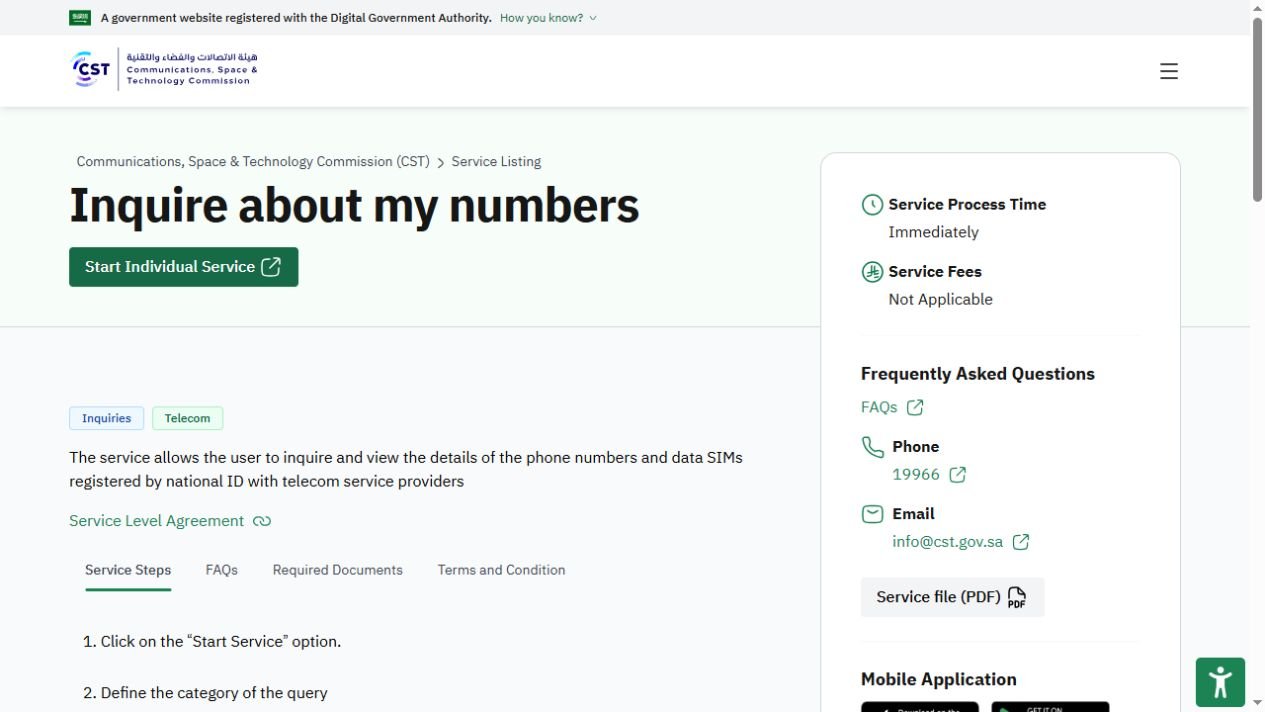
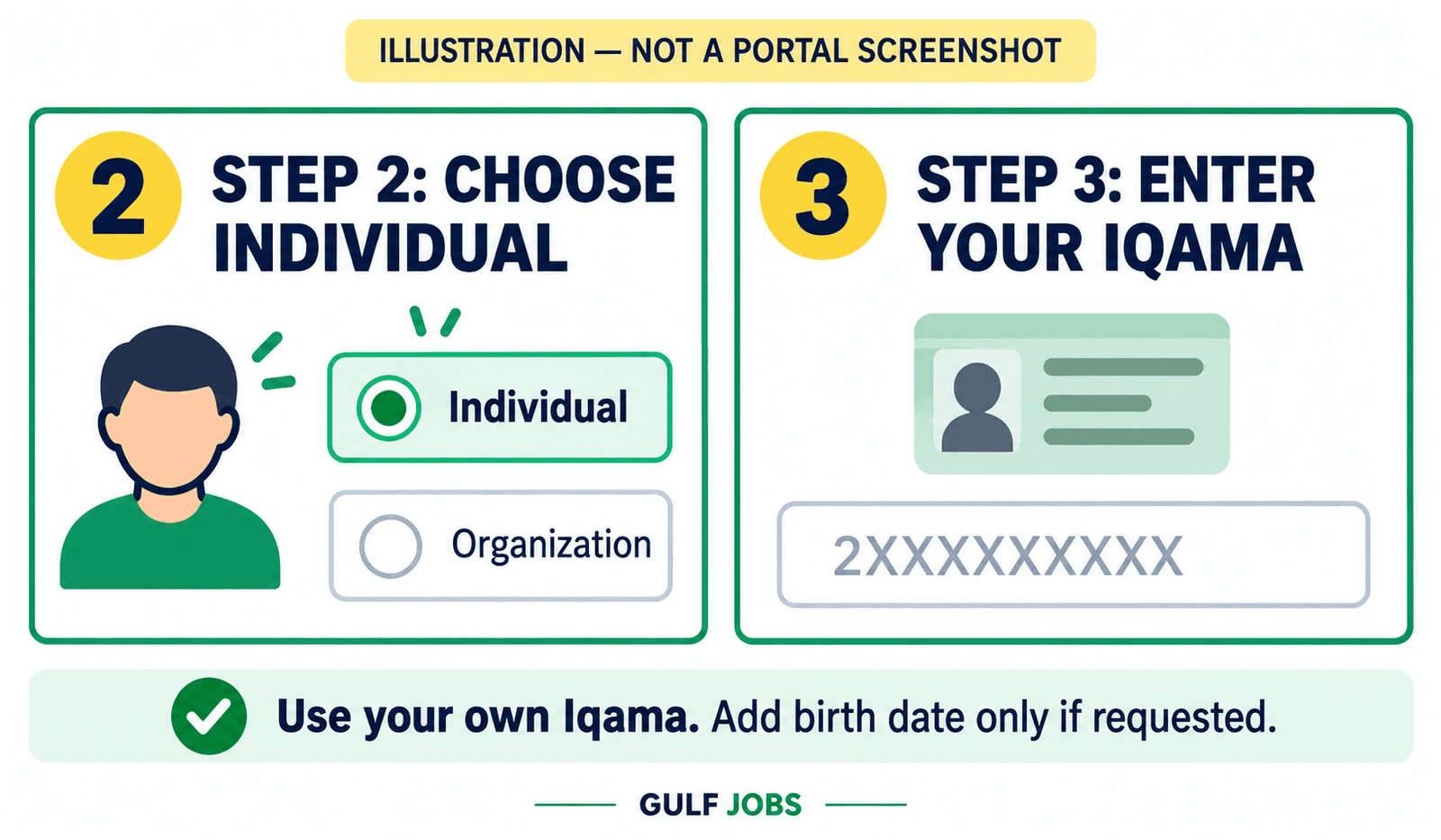
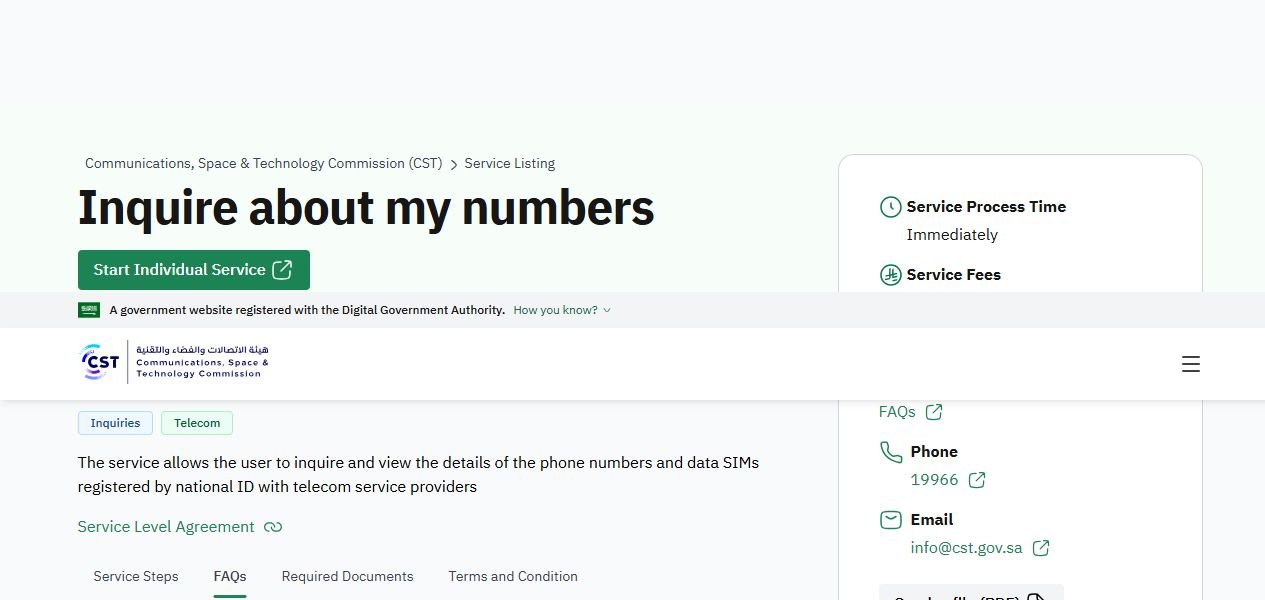
Follow the numbered steps below. The first image is an official CST service-page screenshot. The other step images are labeled explanations, not screenshots of a private account or a guaranteed current form layout.
Step 1: Open CST My Numbers
Open the official CST My Numbers service page and select Start Individual Service. Choose English or Arabic where available.
Steps 2–3: Choose Individual and enter your Iqama
Choose the individual inquiry category when offered. Enter your own Iqama number and the other details requested on the current official form. Add your date of birth only if the form asks for it.
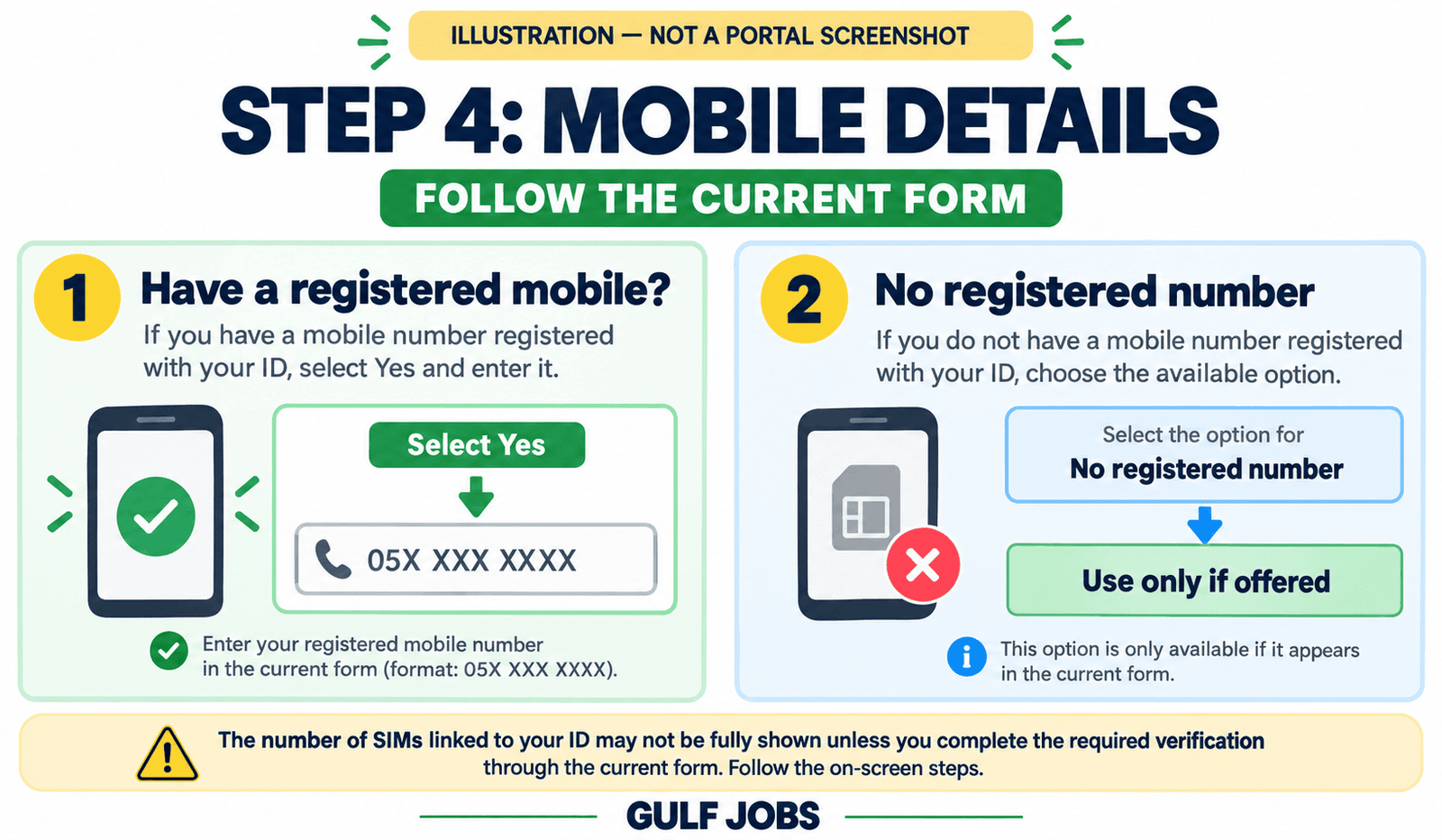
Step 4: Add your mobile details
Enter your registered mobile number if requested. If you do not have one, use the no-number option only if the current service offers it. Available results and verification requirements can differ.
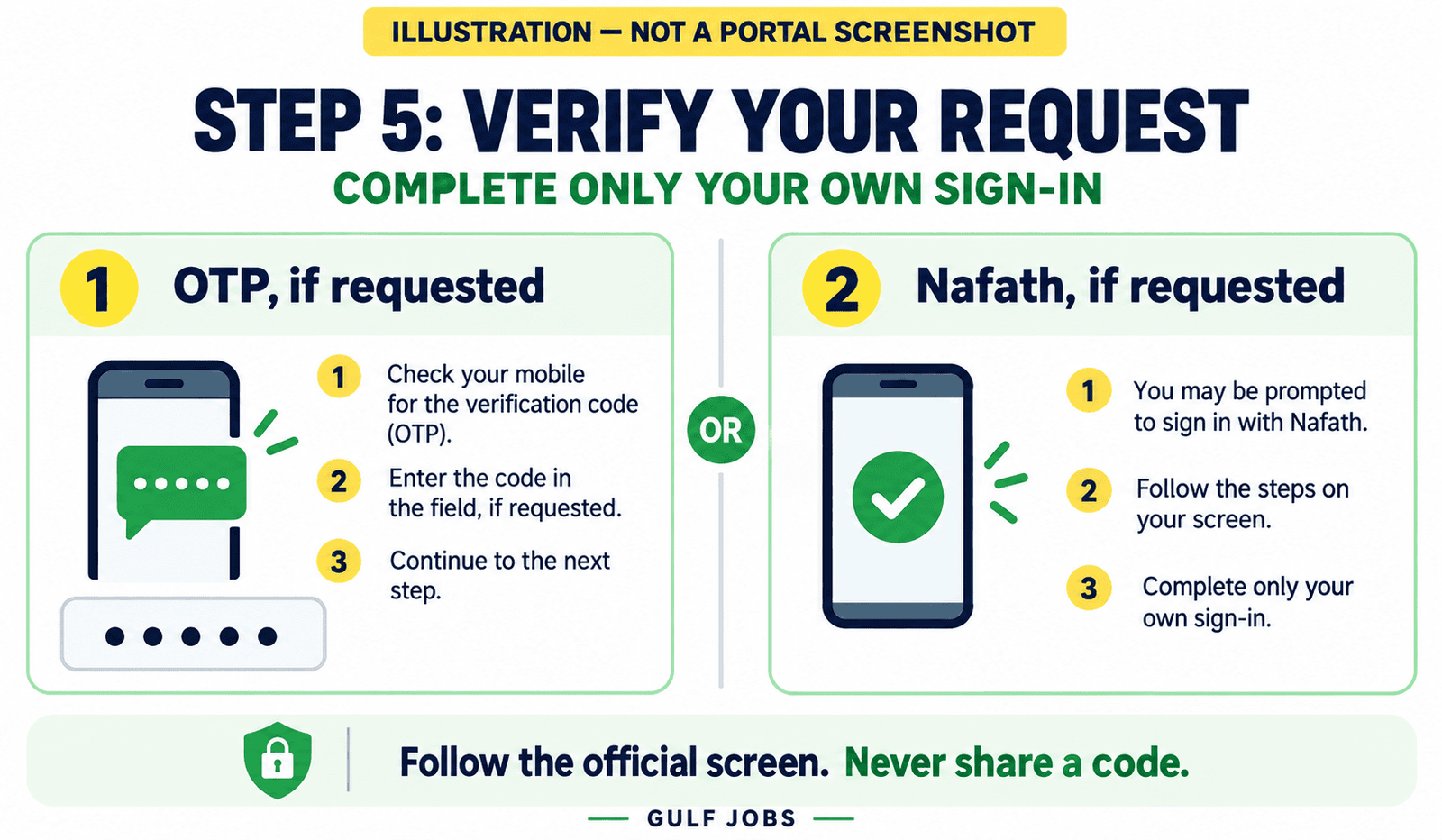
Step 5: Submit and complete verification
Submit the inquiry and complete the verification shown. This may involve an OTP or National Access (Nafath) sign-in. Follow the official instructions for the request you initiated.
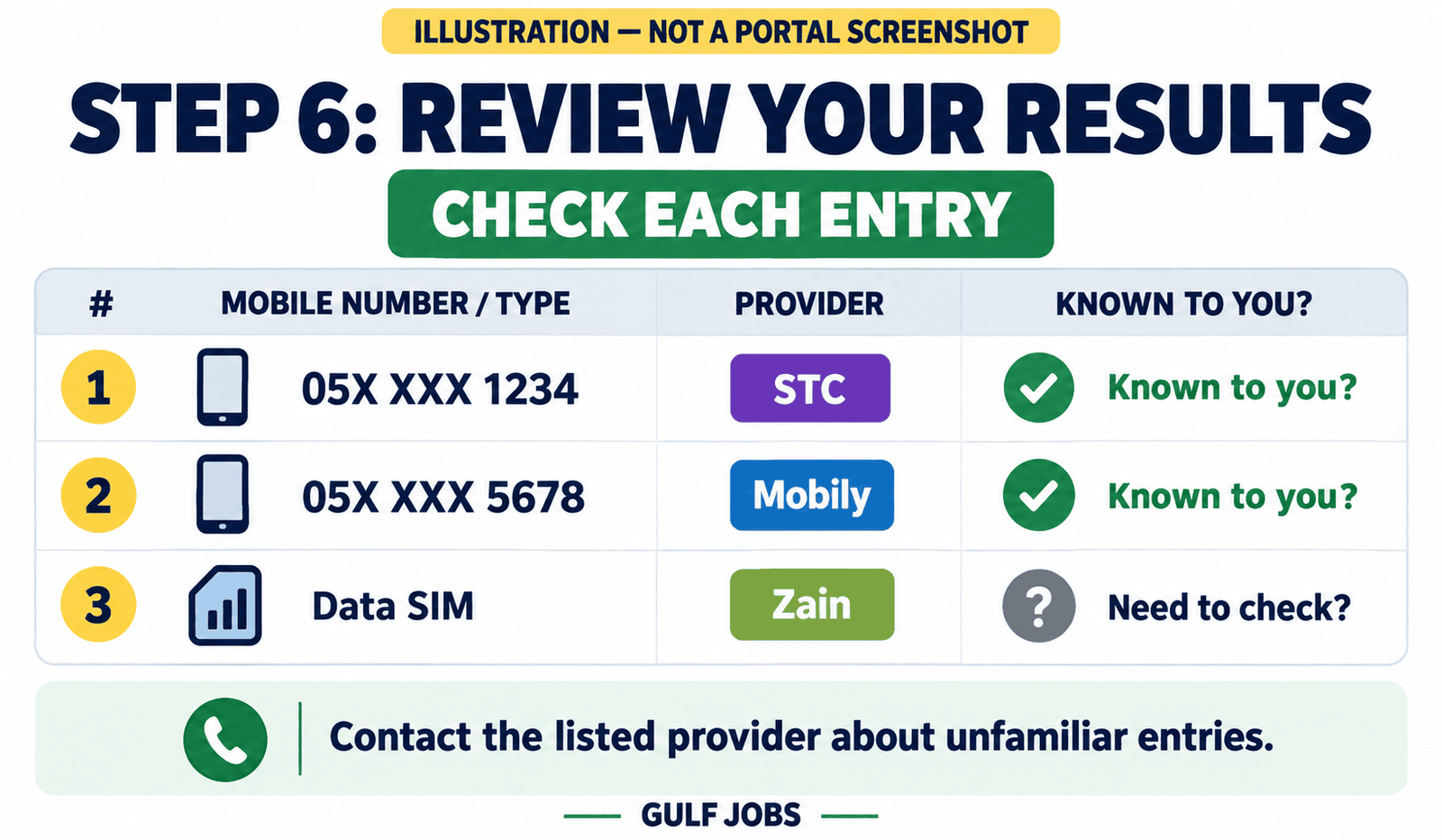
Step 6: Review the registrations
Review the phone numbers, data SIMs and provider names displayed. Compare each entry with your own services, and ask the listed operator to investigate anything unfamiliar.
Results note: CST says that the service shows active, authenticated numbers. If a number you expect is missing, contact the operator to check its authentication status.
Method 2: No registered mobile number
To see how many SIMs are listed without a registered mobile, use a no-number option if the current inquiry form offers one. When available, you can try the inquiry without entering a registered mobile number. The information available may be limited, and verification requirements can change.
- Open the official CST My Numbers service.
- Choose the individual inquiry category.
- Enter your Iqama number and any other required details.
- Select the option indicating that you do not have a registered mobile number, if offered.
- Submit the inquiry and review the available registration information. If the service requires National Access, follow its sign-in instructions.
A limited result may identify the companies holding registrations under your Iqama rather than reveal complete mobile numbers. If the no-number option is unavailable, ask CST or the relevant operator for help.
Method 3: SMS to your provider
To find how many SIMs a particular operator associates with your account, use its own inquiry method. An operator check covers its own network, so check each provider you may have used. The following STC, Mobily, and Zain codes were published in an official regulator notice. Since that notice is older, confirm continued availability with your provider if the request does not work.
| Provider | Send to | Message |
|---|---|---|
| Mobily | 616166 | Blank SMS |
| STC | 900 | 9988 |
| Zain | 700123 | Blank SMS |
| Virgin Mobile | Confirm with provider | Ask for the current SIM-registration inquiry method |
For Virgin Mobile, 1789 is listed as a customer-care contact. Do not assume that a blank SMS to this number performs a registration inquiry. Lebara customers should also confirm the current method with their operator.
Method 4: CST app
You can also check how many SIMs are listed using the CST app, which offers My Numbers services on Android and iOS. Use the official listing and check that the publisher is CST.
- Install and open the official CST app from Google Play or the App Store.
- Follow the app’s current sign-in flow.
- Complete National Access (Nafath) verification if requested.
- Open My Numbers / Arqami.
- Review the SIM registrations associated with your identity.
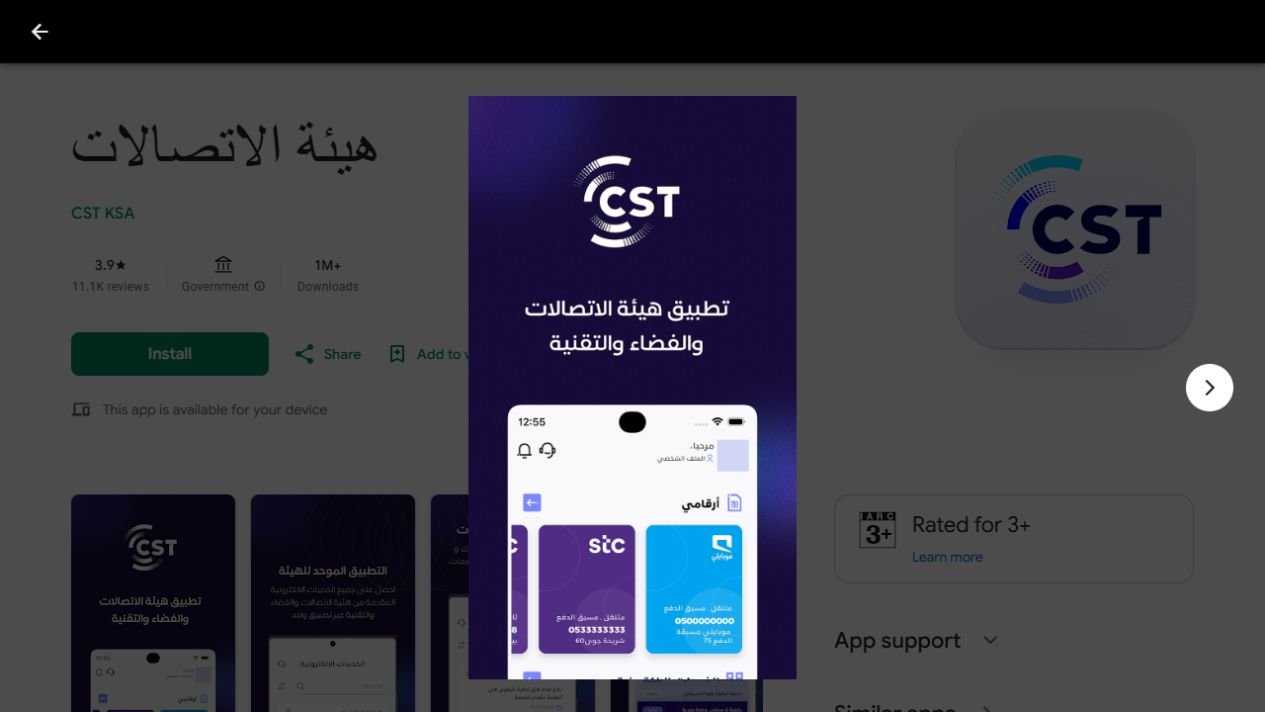
Screens, button names, and verification steps may differ between app versions. Never approve a sign-in request that you did not initiate.
Method 5: National Access (Nafath) sign-in
National Access is a sign-in route used by government services. It is not a separate SIM-registration database. Absher credentials may be involved in an approved National Access flow, but do not assume that Absher has a standalone CST SIM-list menu.
- Start from the official CST service or CST app.
- Choose National Access when the service offers it.
- Follow the official sign-in or Nafath approval instructions shown.
- Complete the verification for the request you initiated.
- Return to CST’s My Numbers service to view your available registrations.
Avoid opening an unfamiliar login page or entering your Absher password into a page claiming to provide an unofficial SIM lookup.
Found a SIM you do not recognize?
Contact the operator shown in the results, ask it to investigate the registration, and request cancellation if it is unauthorized. Keep the complaint reference. If the provider has not processed the complaint within five working days, CST’s service guidance says you can escalate it through its telecom complaints service.
Check how many SIMs appear again after the operator completes the request. Requesting cancellation does not guarantee that it has already been processed.
Can I find an Iqama number from a mobile number?
There is no public reverse-lookup service in this guide for obtaining someone else’s Iqama number or identity from a mobile number. Operators protect subscriber information. Use official support channels to resolve issues with your own account.
Frequently asked questions
Why check SIM registrations on my Iqama?
Checking how many SIMs are registered helps you confirm that the listed services are authorized and belong to you. Investigate any number you do not recognize with its operator.
Can I check without a mobile number?
The inquiry route may offer an option without a registered mobile number, with limited results. Follow the current CST form and its verification requirements.
How many SIMs are allowed on one Iqama?
Confirm the current prepaid, postpaid, and data-SIM limits with CST or your operator. Do not rely on older limits without checking the rules for your customer category.
Can I find my Iqama number from my mobile number?
This guide does not provide a reverse lookup. Check your own residence documents or contact your provider through its official account-support process.
Why are some of my numbers missing?
A registration may need operator authentication. Contact the provider to verify its status and ask why it is absent from the results.
How to choose the right SIM inquiry method
Start with the question you need answered. If you want to know how many SIMs are linked to your identity across providers, use CST’s My Numbers service. If you need help with one familiar line, the relevant operator may be a more direct starting point. A balance inquiry is a different task from checking registrations.
Keep a separate note of the providers you remember using. This gives you something to compare with the result without assuming that memory alone is a complete record. Ask the operator about an unfamiliar entry before deciding what action to request.
How many SIMs: prepare a private comparison list
Before opening the inquiry, list your current personal number, work number if it belongs to your own account, and any data SIM you recognize. Include the provider where you know it. Keep the list on your own device rather than in a public message thread.
The aim is to compare known services with the registrations you see, not to create a second identity database. You do not need to send Gulf Job Hire a copy of your Iqama or a photograph of your result. When helping a family member, share the official link and let them enter their own information.
Read your SIM-registration result carefully
After checking how many SIMs appear, review the available identifying details and provider names. Do not assume that every unfamiliar-looking entry is fraud. A data connection, an older line, or a service you have forgotten may need clarification from its provider.
At the same time, do not ignore a registration you cannot account for. Make a private note of the entry and contact the operator shown. Ask it to identify the service and explain the registration through its official support process. Keep your questions focused on the particular entry rather than asking an unrelated operator to investigate another network.
What to record when you find an unfamiliar SIM
Keep the inquiry date, provider name, general issue, and any complaint reference together. If you take a screenshot for your own records, store it securely and avoid circulating it in job or community groups. Share account information only through the official channel handling your case.
Explain whether the problem is an unknown registration, a cancellation request that appears incomplete, or a familiar number missing from the result. These descriptions are more useful than simply saying that the number of SIMs looks wrong. Ask the provider what action it has taken and when you should check again.
How many SIMs should remain after a cancellation?
Compare the result with the specific service the operator says it has closed. A request reference is useful evidence of your contact, but it does not by itself show that the account update has finished. Ask for confirmation of the action rather than relying on the fact that a request was submitted.
If you later check how many SIMs remain and the disputed entry is still visible, refer to the same case number when following up. Avoid opening several unrelated complaints with different descriptions unless the provider or CST tells you to do so. A consistent record makes the issue easier to explain.
Fix missing verification messages and sign-in problems
Check that the mobile number you entered is correct and that you can receive messages on that line. If your phone has two SIMs, identify which number belongs to the inquiry. A message arriving on a different line can cause confusion when you are trying to complete verification.
If the official service asks for National Access approval, match the request to the sign-in you initiated. If you cannot complete the flow, use the support options published by CST or your operator. Do not try to bypass verification through a third-party lookup website or let someone approve an account request on your behalf.
When an old bookmark or guide stops working
Return to the official CST website and locate My Numbers again. Service names, domains, and app interfaces can change. A familiar-looking old address is not a reason to enter identity details if you cannot confirm that you are using the current official route.
Use the task and field labels to guide you rather than a screenshot’s button position. This guide explains how many SIMs can be reviewed through the service; it cannot guarantee that every user sees exactly the same verification screen. Read the current instructions before submitting the inquiry.
Keep registration checks separate from account management
Finding a SIM in your identity record does not tell you its remaining credit, data allowance, renewal setting, or bill amount. Those details belong to the operator’s account services. If you use STC, our STC balance-check guide explains credit and data inquiries separately.
If you are uncertain about your residence ID number, consult your own documents or read our guide to finding an Iqama number. Knowing how many SIMs are registered is not a way to retrieve another person’s identity or check immigration status.
How many SIMs: a practical routine for Saudi workers
Review your registrations when organizing your own telecom accounts or following up on a provider’s correction. Keep the official service link with your other useful Saudi setup information. If your employer arranges a work phone, ask who manages that account before making assumptions about its registration.
For a colleague asking how many SIMs they have, share this article and the official service page. Do not ask them to post an Iqama photo in the group. A useful guide helps people perform their own checks while keeping account access and identity information private.
Final checklist before and after the inquiry
- Use your own identity and the official CST entry point.
- Check the inquiry category and required fields on the current form.
- Complete only the verification request you initiated.
- Compare the displayed registrations with your private list.
- Ask the named provider about missing or unfamiliar services.
- Keep complaint references and verify any completed correction.
For an operator follow-up, prepare a short message: “I checked my registrations and need help with this entry. Please confirm the service associated with it, investigate whether it belongs to me, and provide a case reference.” Send it through the provider’s official account-support channel. You can explain the issue without sharing your full identity documents in public.
Before closing a complaint, compare the provider’s reply with the action you requested. An explanation, a cancellation request, and a completed cancellation are different outcomes. Keep any confirmation with your private records. If you check how many SIMs appear again, compare the same entry rather than relying only on a total count.
Once you know how many SIMs are shown, focus on the entries that need action. Save the service link for your next check and keep your result private. Explore more practical relocation and telecom guides on the Gulf Job Hire blog.
Please note
Portal addresses, SMS codes, app screens, verification requirements, and SIM limits can change. Confirm them with CST or your provider before relying on them.
Official sources
CST: My Numbers service and FAQs · CST: published SMS inquiry codes · Virgin Mobile: help and support