
Virgin Mobile service codes let Saudi Arabia customers request common account services from their phone’s dialler. The reference codes in this guide include *102# for balance, *101# for recharge, *103# for credit transfer and *104# for call me back. Virgin Mobile lists 1789 as its customer care number.
Verification note: Checked on 19 October 2026. Virgin’s official self-service directory names these services, but the code digits were not displayed on the pages we reviewed. The USSD codes below are retained from the supplied reference article and are not independently confirmed as current. If a code fails or opens a different menu, stop and use the official app or contact Virgin. GulfJobHire is an independent publisher, not the network operator.
On this page
Virgin Mobile service codes: quick reference
Use this table to choose the right service before opening your dialler. Enter each USSD code from left to right, starting with the asterisk and ending with the hash sign. A Saudi Virgin SIM must be selected when your phone asks which line to use.
| What you need | Reference code or route | What to check |
|---|---|---|
| Balance inquiry | *102# | Reference code; confirm whether the result is wallet credit or plan allowance |
| Recharge menu | *101# | Follow the live menu or the instructions printed on your voucher |
| Credit transfer | *103# | Review the recipient, amount and any terms before confirming |
| Call me back | *104# | Check that the response describes the service you requested |
| Find your mobile number | Official app or account information | Do not assume *106# directly displays your number |
| Customer care | 1789 | Number displayed on Virgin Mobile Saudi Arabia’s official contact page |
Start here: Need money remaining? Check your wallet. Need remaining internet? Check your data allowance and expiry. Need to add funds? Use recharge. These are separate actions, even when they appear together in an app.
The official Virgin self-service directory is a useful starting point for service names. Use the current on-screen response as your guide rather than assuming that every short code works for every prepaid, postpaid or roaming account.
How to use Virgin Mobile service codes on your phone
- Open the normal Phone app and select its keypad.
- Type the complete code, including * and #. Do not add quotation marks, a full stop or spaces.
- On a dual-SIM phone, choose your Virgin Mobile Saudi Arabia line.
- Press the call button once and wait for the response.
- Read the menu carefully. If it asks for another choice, reply only when the service matches what you intended.
- For a paid action, check the amount and terms before final confirmation. Close the menu if the request is unexpected.
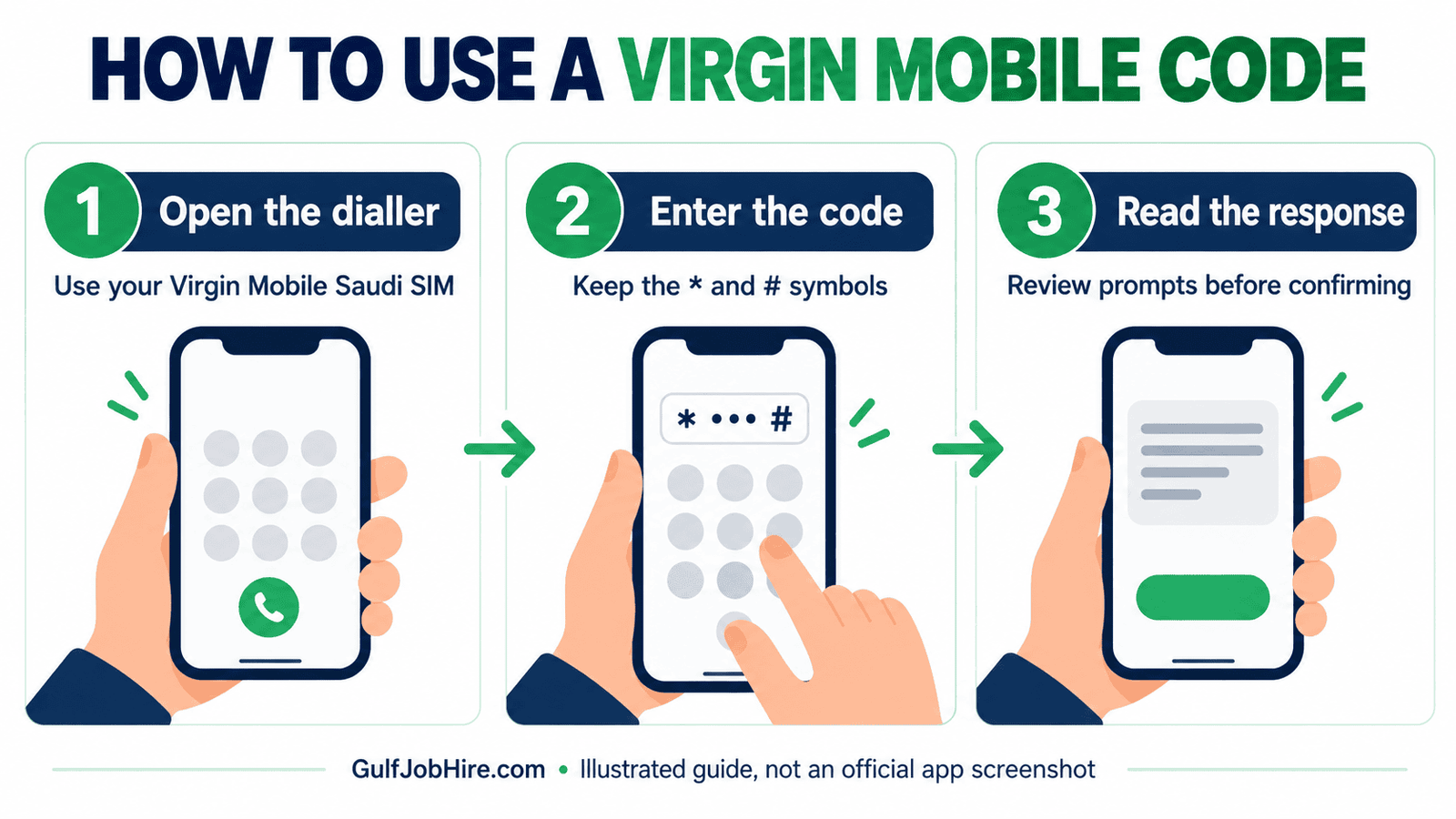
USSD is a short network request made through the dialler; it is not a website address or an SMS message. A code’s asterisk can disappear when text is copied into a formatted list. That is why this guide shows codes in plain code formatting. If your phone changes the text, clear the keypad and enter it manually.
Do not repeatedly press call while a request is processing. If a menu expires, start again from the beginning. Screenshots can help you remember an error, but hide your phone number and other account details before sharing them outside official support.
Check Virgin Mobile balance and remaining data
For a quick balance inquiry, try *102# from your Virgin SIM. Because its current availability was not independently confirmed, use the official app if the request fails. A successful response still needs to be read carefully: an amount in Saudi riyals is different from remaining gigabytes or minutes.
- Open the dialler and enter
*102#. - Select your Virgin line and send the request.
- Read the result and note the unit displayed: SAR, GB, MB or minutes.
- Open the official app when you need a fuller view of the active plan, allowances or validity.
Virgin’s wallet explanation describes the wallet as the place holding account credit. Its usage overview explanation describes a screen for reviewing service use. Check the relevant screen rather than treating one balance figure as the answer to every question.
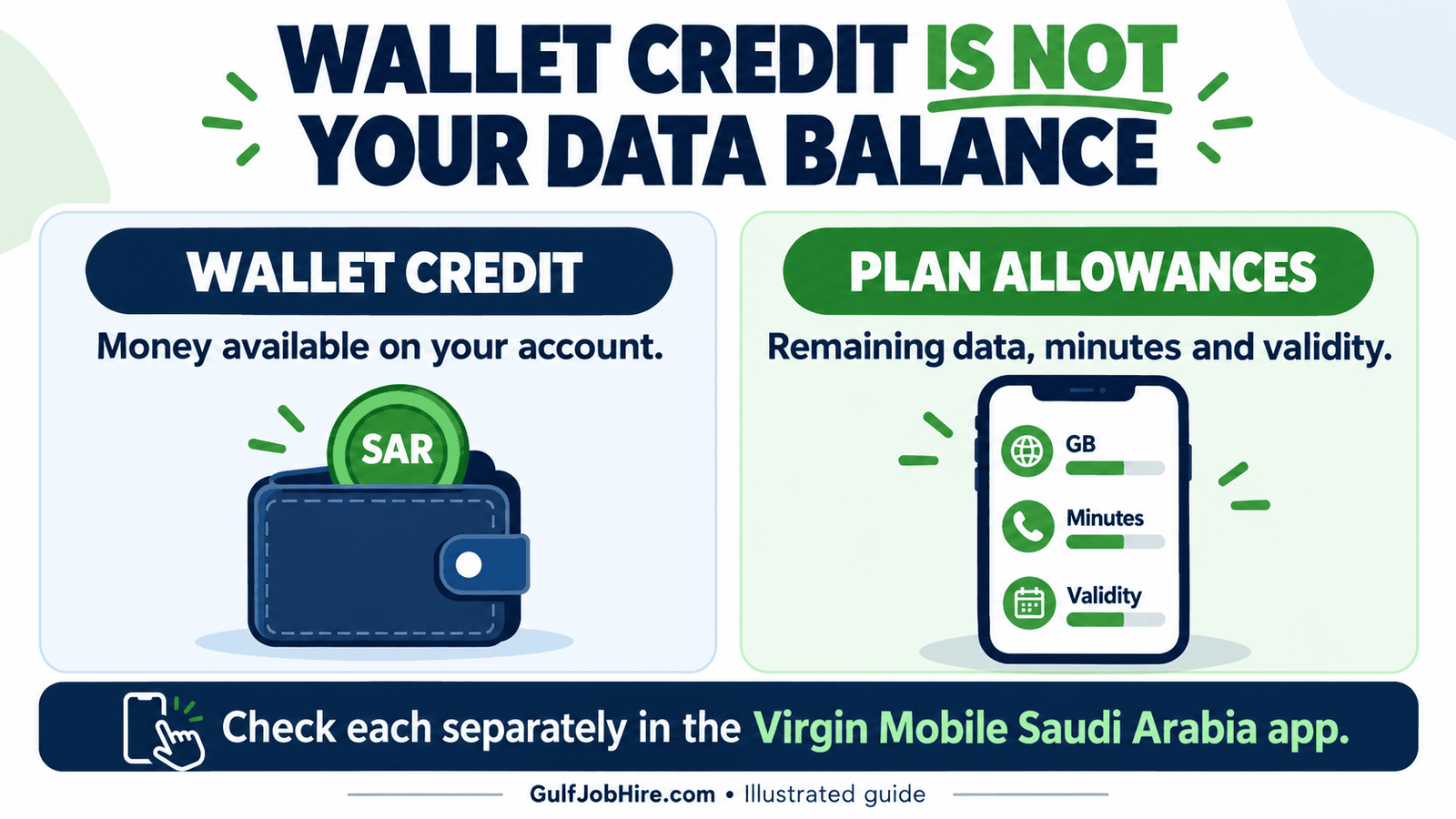
For example, having wallet credit does not by itself tell you how much data remains in a bundle. Likewise, a remaining data allowance does not tell you the cash balance available for a different service. When reviewing an account, record the balance type and the relevant expiry together.
If the app and a dialler response appear inconsistent, compare the same line and the same type of balance. Refresh the screen and check for a pending transaction. Ask support to explain the difference before adding credit solely to correct a display you do not understand.
How to recharge Virgin Mobile in Saudi Arabia
The reference recharge-menu code is *101#. Use the instructions on your actual voucher or the current official app as the authority for your recharge method. Do not guess a direct voucher-code format or enter a recharge PIN into a page reached through an unsolicited message.
- Check that your voucher or recharge product is for Virgin Mobile Saudi Arabia.
- Read the instructions on the voucher. If using the reference menu, dial
*101#from the Virgin line. - Enter the requested voucher information privately, following the live instructions.
- Wait for a confirmation message before making another attempt.
- Check your wallet to see whether the credit has arrived.
- Keep the receipt until the transaction is resolved.
You can also start from the official Virgin Mobile app download page. Once signed in, look for the current recharge or wallet option and review the payment summary. Buttons and menus can change, so follow the labels shown in your installed version.
Adding wallet funds and buying a data bundle may be separate steps. If you want internet access, check whether your selected purchase adds credit, activates a package or renews an existing plan. Read the validity, total charge and renewal terms shown before paying.
If a payment is taken but no credit appears, avoid paying again immediately. Keep the transaction reference, payment time and amount. Contact official support with those details; do not send a full bank card number, card security code or one-time password.
Transfer Virgin Mobile credit using the official app
Virgin’s official FAQ confirms local wallet-to-wallet credit transfer to another Virgin Mobile customer. It directs customers from the dashboard to Other services, then Local credit transfer. The reference USSD code is *103#, but the official app provides the documented alternative.
- Sign in to the Virgin Mobile Saudi Arabia app for the sending line.
- Open the dashboard and find Other services → Local credit transfer, or the equivalent current label.
- Enter the intended recipient’s Virgin Mobile number.
- Enter the amount and check the complete transaction summary.
- Read any fee, minimum, maximum or eligibility message shown.
- Confirm only after checking the recipient and amount, then keep the reference.
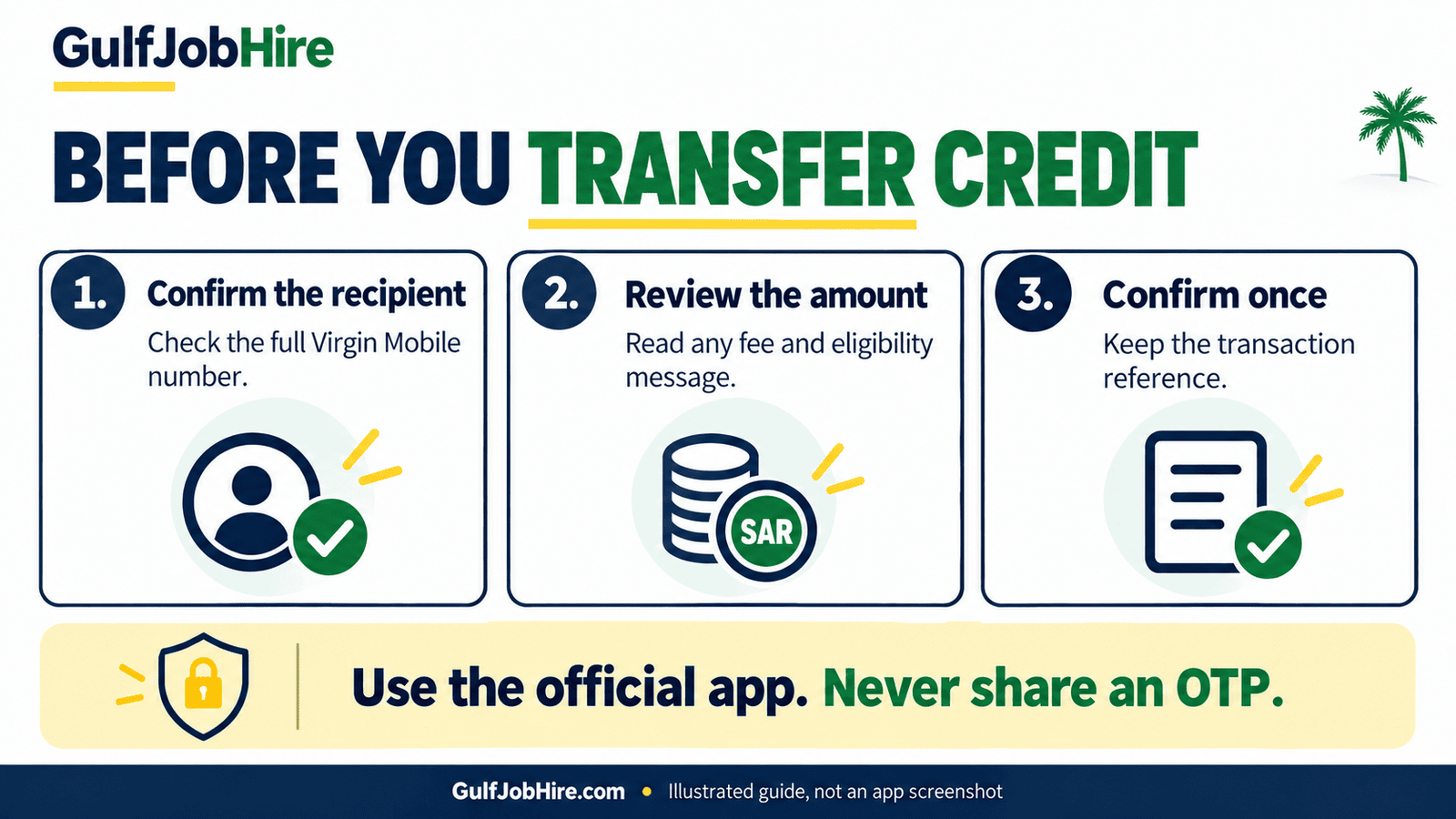
The operator’s local credit transfer FAQ is the source for the app route above. This guide does not assume a fixed transfer fee or limit because those details were not stated on that page.
A local credit transfer is not the same as a bank transfer, international remittance, number-porting request or transfer of a data allowance. If the recipient uses another network, do not assume this Virgin-to-Virgin wallet service will work. Review the service description first.
If you send to the wrong number, contact support promptly with the transaction reference. Do not promise the recipient that a reversal is automatic. Avoid making a second transfer while the first is still pending or unclear.
Call me back and find your Virgin number
The supplied reference lists *104# for Call me back. If available on your line, follow the response to enter the recipient’s number. Stop if it opens a different service. This request asks someone to contact you; it does not add credit or guarantee that the recipient will call.
To find your own number, use your official app’s account information or your SIM purchase records. The original article described *106# as a direct number-check code, but Virgin’s directory labels a service as “General settings” without displaying the digits. We could not confirm the original claim, so it is not presented here as a verified number inquiry.
If you have several lines in one account, check which line is selected before copying its number. Your phone’s SIM settings may also display a number, but that field can be blank or outdated. Confirm it against your account information before giving it to an employer or using it for an important registration.
For a separate check of lines associated with your identity, see GulfJobHire’s guide to SIM cards registered on your Iqama. An identity-linked SIM inquiry is different from finding the number of the SIM currently inside your phone.
Virgin Mobile service codes not working? Try these checks
An invalid MMI code or failed request does not automatically mean your SIM has been cancelled. It can reflect a typing issue, a network problem or a service that is unavailable for your line. Work through the checks below before changing unrelated phone settings.
| Problem | First action | Next route |
|---|---|---|
| Invalid code or MMI error | Retype the complete code and select the Virgin line | Use the official app if it fails again |
| No network signal | Check signal and whether the SIM is enabled | Contact support if ordinary calls also fail |
| Different menu appears | Cancel without approving an action | Ask Virgin for the current route |
| App will not sign in | Check the selected number and connection | Use official account recovery or support |
| Recharge still pending | Keep the receipt and transaction reference | Ask support before paying again |
| Outside Saudi Arabia | Do not assume domestic short codes are available | Use official online contact options |
On a dual-SIM device, a code sent from an STC, Mobily or Zain line will not become a Virgin request just because the other SIM is installed. Check the line label on the call button. If you are managing a separate STC SIM, use our STC balance check guide for that network.
Do not install an unofficial configuration profile or copy another operator’s APN settings to fix a failed USSD code. Internet configuration and dialler service requests address different problems. Describe the exact symptom to support: no signal, no data, failed code, or an account transaction issue.
Virgin Mobile Saudi Arabia customer care and lost SIM help
Virgin Mobile’s official Saudi contact number is 1789. Start with your Virgin line. If the short number cannot connect, use the official contact page for another available contact route rather than guessing an international version of the short code.
Prepare a short description containing the service you tried, the time, the exact error and any transaction reference. State whether you are in Saudi Arabia or roaming and whether you can make normal calls. These details help distinguish an account problem from a phone or network issue.
Example support message: “I am using a Virgin Mobile Saudi Arabia line. At [time], I tried [service] and received [exact error]. I have not repeated the payment. My transaction reference is [reference]. Please confirm the current method and next step.” Send personal account information only through the operator’s official support channels.
For a lost SIM, Virgin’s official lost-SIM guidance describes Account settings → My number → I lost my SIM in the app, followed by the displayed replacement instructions. If you cannot access that route, contact support promptly. A replacement SIM is a different request from topping up an existing line.
Set up the official app as your backup
Keep an alternative to Virgin Mobile service codes ready before you need help. Start from the operator’s download page, follow its store link and check that you are installing the Saudi Arabia service. A similarly named app for another country may use different account systems and support details.
- Install the app through the official download route.
- Sign in using your own line and follow its verification steps privately.
- Confirm the selected mobile number if the account has multiple lines.
- Locate your wallet, active plan and usage information.
- Find the support option and keep your recharge receipts available.
When comparing Virgin Mobile service codes with app information, check the same account at roughly the same time. Record which method produced the error. If you cannot receive a verification message, use official support rather than asking another person to receive or forward security codes for your account.
Frequently asked questions about Virgin Mobile service codes
What is the Virgin Mobile balance check code in Saudi Arabia?
The reference code is *102#. Enter it from your Virgin Saudi line and read the response. We could not independently confirm the current digits on Virgin’s public code pages; use the official app if it fails.
What is the Virgin Mobile recharge code?
The supplied reference lists *101# for the recharge menu. Follow the current menu or your voucher’s instructions. Confirm that a recharge succeeded before repeating it.
How do I check my remaining Virgin internet data?
Open the official Virgin Mobile Saudi Arabia app and check the active line’s data allowance and validity. A wallet amount in SAR is not a remaining-data figure.
How do I transfer Virgin credit to another number?
Virgin’s documented app route is Other services → Local credit transfer. It describes transfers between Virgin Mobile wallets. Review the recipient, amount and any live terms before confirming.
What is Virgin Mobile Saudi Arabia’s customer care number?
The operator’s official website lists 1789. If it will not connect from your situation, use the official contact page.
Can I use these Virgin Mobile service codes outside Saudi Arabia?
Do not assume domestic USSD menus work while roaming. If a request fails abroad, use the official app over an available internet connection or the operator’s online contact options.
Does *106# show my Virgin Mobile number?
We could not verify that claim from the current official pages. Use your official account information or SIM records to confirm your number instead.
Are Virgin Mobile service codes the same as STC codes?
No. Use the instructions for the SIM’s actual operator and country. A Virgin service request must be sent from the appropriate Virgin Mobile Saudi Arabia line.
Official sources and GulfJobHire related guides
This GulfJobHire guide was reviewed on 19 October 2026. Official sources support the customer care number, app download route, wallet explanation, usage overview, local transfer route and lost-SIM instructions. The public directory did not display the USSD digits we sought; reference codes are labelled accordingly throughout the article.
- Virgin Mobile self-service directory
- Virgin Mobile Saudi Arabia FAQs
- Official Virgin Mobile app download
- Check SIMs registered on your Iqama
- More GulfJobHire guides for life and work in the Gulf
Save this Virgin Mobile service codes guide for routine account checks. For a payment dispute, lost SIM or account restriction, contact the operator directly so it can check your individual line.